Visual builder layout and sizing

I am evaluating Visual builder in SmartGWT EE 2.5.

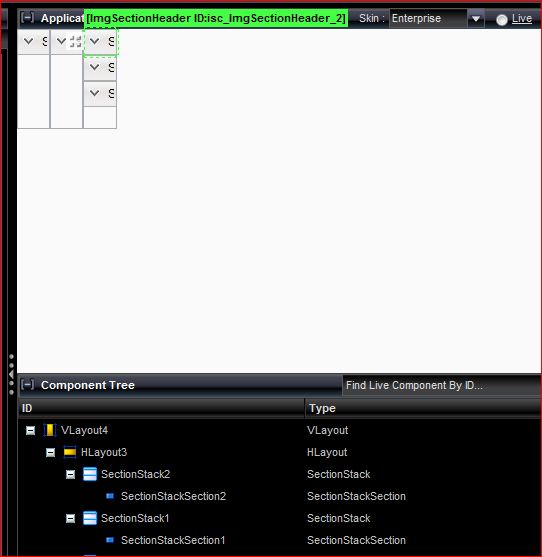
When I drag and drop widgets on to the component tree, they look nothing like the video example that I copied, in terms of the position and sizing.

Because the issue with jetty, I deployed the application to Tomcat7 and have tried using Chrome 13 and Firefox 6

Attached screenshot

You’ve replaced the pre-populated root component of the tree, which is sized 100% width and height to fill space, with your own component, which has the default size of 100x100. Set the size of the root component to 100% width and height to correct. This is not necessary for any subcomponents.
Thanks for that - too bad that the videos just shows a VLayout as the starting component and DataView is not in the component list.

They are equivalent - basically following the video drag for drag works the same.